


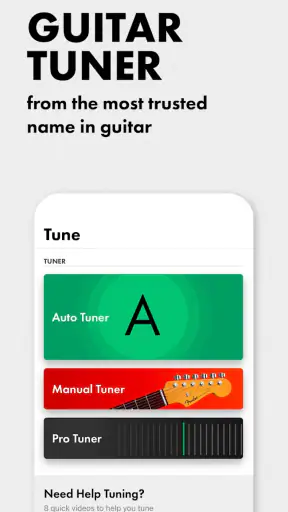
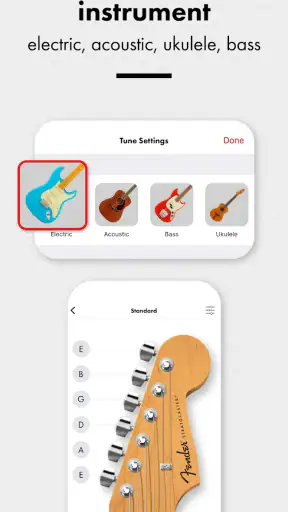
I tested Fender Guitar Tuner as a practical music tool rather than treating it as just another download. It is a free Music & Audio app from Fender Musical Instruments Corporation, built around tuning a guitar, bass, or ukulele with a chromatic tuner and a metronome. That focused purpose is its biggest strength: when an instrument sounds wrong, I can open it, make a quick adjustment, and get back to playing without sorting through a crowded music platform.
My overall impression is positive, especially for beginners, casual players, teachers, and anyone who wants a dependable tuner on a phone. The app has a 4.6 average from around 70 thousand ratings, which matches my experience that it is generally easy to approach. It is available at no cost and is rated for Everyone, so it feels suitable for a wide range of players and practice settings.
How the tuner works in everyday playing
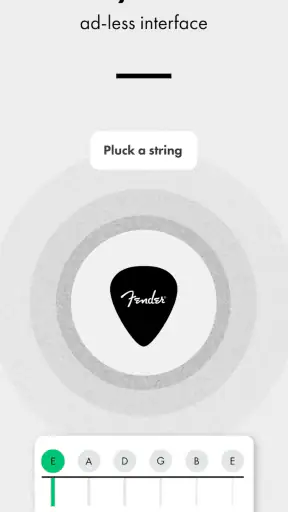
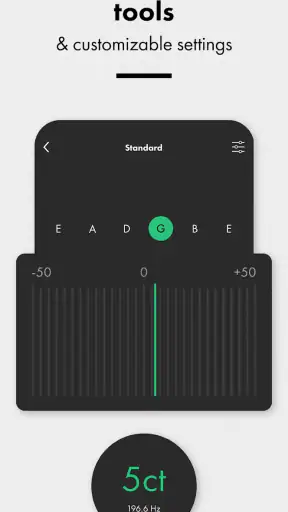
The first useful thing about this app is that it does not force a complicated setup before showing whether a string is in tune. I can place the phone near the instrument, play one string at a time, and watch the tuning response move as I adjust the peg or machine head. That simple loop matters when I am holding a guitar in one hand and making small adjustments with the other.
The chromatic approach is particularly helpful when I am not using standard tuning. Instead of being limited to one fixed arrangement, I can use the tuner as a reference for individual notes. This makes it more useful for alternate guitar tunings, bass work, and ukulele practice than a basic tuner designed around only one instrument layout. I still need to know which notes I want, but the app gives me a flexible way to check them.
For a beginner, the visual feedback is easier to understand than trying to judge pitch by ear immediately. I can play a string, see whether the note is low or high, and make a small correction rather than turning the peg repeatedly and hoping for the best. That is a good learning workflow because it connects the physical adjustment with the sound and the on-screen response.
I would not treat the display as a substitute for listening. A phone microphone can pick up nearby conversation, television audio, other instruments, or room noise, and that can make any automatic tuner less decisive. My best results came from muting the other strings, playing a clear note, and giving the app a reasonably quiet moment to identify it. That small habit is more important than chasing perfect positioning.
Readability and navigation for different users
The interface is most successful when I use it for one clear task: tune a string, check the result, and move on. The central tuning feedback is easier to read than a page filled with lessons, social features, or unrelated recommendations. Someone opening a tuner for the first time can understand the basic goal without already knowing much about music technology.
That clarity also helps when the phone is placed on a music stand or table rather than held close. I can glance at the screen between adjustments, which is useful for players who do not want to keep looking down at a small device. A larger phone can make this more comfortable, while a compact screen may require closer attention, particularly for someone with reduced vision.
I found it helpful to think of the display as confirmation rather than the entire instruction. The note indicator tells me what the app thinks it hears, while the pitch direction tells me whether to raise or lower the string. Beginners should make small turns and recheck after each one. Large adjustments can overshoot easily, especially on lighter strings.
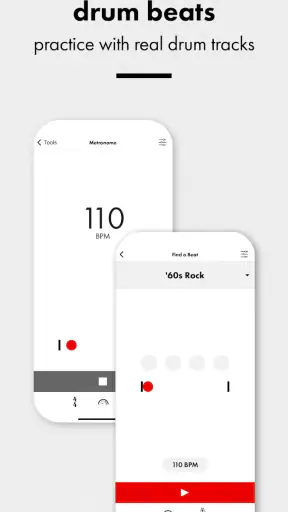
Navigation is also more approachable because the app stays close to its core tools. The tuner and metronome serve different jobs, but both belong naturally in a practice session. I do not have to switch to a separate metronome app after tuning, and that reduces the number of controls I need to learn. For a teacher helping a new player, that compact workflow is easier to explain than a large all-in-one music suite.
The app has been available since January 25, 2017, and the current version is 4.15.8. Those details matter less than the practical result: users should check that their device meets the minimum requirement of operating system 11 before expecting to install it. Someone using an older phone or tablet may need another tuner, even if the instrument itself is fully compatible.
Motor and sensory considerations while tuning
Tuning is a hands-on activity, so the app cannot remove every physical challenge. I still need to hold the instrument, pluck a string, and turn a tuning control. However, the phone can reduce the amount of repeated listening and guesswork involved. That may help a player who finds it difficult to judge small pitch differences by ear or who tires quickly from repeated trial and error.
A useful technique is to place the phone somewhere stable before starting. A stand, music rest, or nearby table lets me keep both hands available for the instrument. This is safer and more comfortable than balancing the phone against the guitar or trying to hold it while turning a peg. It also keeps the screen at a consistent angle, which makes the visual response easier to follow.
Players with limited fine-motor control may still find the final adjustment demanding. The tuner can indicate the direction, but it cannot turn the machine head or compensate for a stiff mechanism. In that situation, I would use slower, smaller movements and pause between notes. A friend, teacher, or repair technician may be more useful when the instrument has a mechanical problem rather than a tuning problem.
For sensory differences, the app offers two kinds of information that can complement each other: the sound of the note and the visual response. Someone who does not rely comfortably on audio can use the screen as the main guide, while someone who finds visual tracking tiring can listen for the change in pitch and use the display only as confirmation. I would not promise that either mode works equally well for every person, but having both channels is more flexible than relying on a single physical reference.
Ambient sound remains a real limitation. A busy rehearsal room, a classroom with several instruments, or a street-side practice session can make microphone-based tuning frustrating. In those places, I would tune in a quieter corner or use a physical tuner designed for direct instrument input if I needed more isolation. The phone is convenient, but convenience depends heavily on the acoustic setting.
Why the built-in metronome changes the practice routine
The metronome is more valuable than it may first appear because it keeps tuning and rhythm in the same practice space. A realistic routine might be this: I tune the guitar before a lesson, set a steady pulse, and then repeat a chord change or scale without opening another app. That saves a few seconds each time, but more importantly, it keeps the session focused.
For a beginner, I would start slowly enough to make every movement clean, then increase the pace only when the pattern feels controlled. The metronome is not just for advanced players practicing speed. It can expose uneven chord changes, pauses between notes, and the tendency to rush difficult parts. Tuning first prevents me from mistaking an out-of-tune string for a fingering problem.
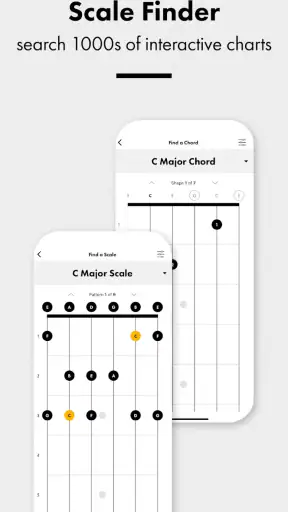
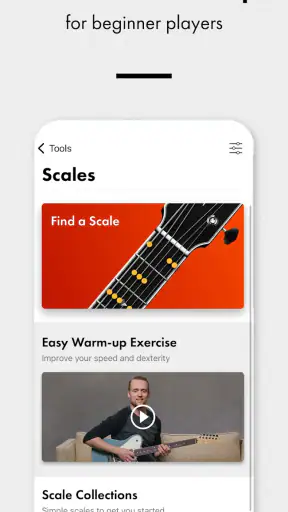
The trade-off is that a focused tuner and metronome will not replace a complete learning platform. I would not choose this app if I wanted video instruction, song-based lessons, chord libraries, recording tools, or a practice history. A broad teaching app may be better for someone who needs a guided curriculum. A dedicated hardware metronome may also suit a player who prefers physical controls and does not want a phone nearby.
Situational access: home, lessons, rehearsals, and travel
At home, the app is especially convenient before a short practice session. I can leave the instrument on a stand, open the tuner, and check the strings without preparing extra equipment. This is the kind of small convenience that encourages regular playing: the barrier between deciding to practice and actually starting is lower.
In a lesson, it can help a teacher show a student what “sharp” and “flat” mean in a concrete way. The student can make the adjustment and immediately see the effect. That shared visual reference may be easier than explaining pitch direction verbally, particularly for someone who is still learning musical vocabulary.
During a rehearsal, the result depends on the room. If several players are warming up at once, the microphone may hear the wrong source or struggle to isolate a string. I would use it before the group begins or step away from the loudest instruments. For a quiet acoustic session, it can be perfectly adequate; for a loud stage environment, a clip-on or input-based tuner is usually the more dependable choice.
It also works well for travel because I do not need to pack a separate tuner and metronome. That is useful for a student carrying a ukulele to a friend’s house or a guitarist practicing in a hotel room. Still, a phone battery, screen visibility, and background noise become part of the equation. I would keep a small physical tuner as a backup for important performances rather than relying on a phone alone.
The Everyone age rating makes the app approachable for family use, but age suitability is not the same as teaching quality. A child can use a tuner with supervision, yet younger players may still need an adult to explain which string to play and which direction to turn. The app can provide feedback; it does not replace patient instruction.
Where the experience still creates barriers
The main barrier is that visual tuning feedback assumes the user can comfortably see and interpret movement on a phone screen. Players with low vision may need a larger display, stronger personal accessibility settings, or an alternative tuner with clearer physical or audio cues. I would test the app on the actual device and in the actual practice space rather than assuming that a readable screen at home will remain readable under dim rehearsal lighting.
Another barrier is microphone dependence. People who play in shared rooms, have difficulty producing a clean isolated note, or use an instrument with unusual volume may experience inconsistent recognition. The app is most comfortable when the player can control the environment. If that is not possible, a hardware tuner with a direct connection or vibration sensing may be a better fit.
The app also expects a certain amount of musical and physical coordination. I need to select the right string, produce a note, interpret the result, and adjust the instrument. Someone completely new to tuning may find the first session confusing without guidance. A short demonstration from a teacher or experienced player can make the process much less intimidating.
There is a broader attention issue too. Using a phone for practice introduces notifications, calls, and other distractions, even when the app itself is focused. I found the best workflow was to prepare the device before picking up the instrument and avoid switching between unrelated apps. Players who want a distraction-free setup may prefer a standalone tuner and metronome.
Finally, the app is not the right answer to every tuning fault. If a string keeps drifting, a peg slips, the intonation is poor, or the instrument has a setup issue, repeated tuning will not solve the underlying cause. The app can tell me where the pitch is at that moment, but it cannot diagnose every mechanical or setup problem. That distinction prevents a lot of wasted adjustment.
Who should use it and who should choose something else
I would recommend it to a beginner buying a first guitar, bass, or ukulele; to a casual player who wants a tuner always available; and to an intermediate musician who values a quick chromatic reference and an integrated metronome. It is also a sensible choice for teachers who want a simple visual aid during early lessons. The free price makes experimenting easy, and the broad device availability is reflected in more than 5 million installs.
I would be more cautious about recommending it to a performer who needs guaranteed isolation in a loud environment. That player may be happier with a clip-on tuner, a pedal tuner, or a hardware unit connected directly to the instrument. I would also steer someone seeking structured lessons toward a teaching-focused app, because this tool is designed to support practice rather than teach an entire instrument.
Compared with a basic chromatic tuner app, the Fender option has the practical advantage of bringing the metronome into the same place and covering guitar, bass, and ukulele use. Compared with a hardware tuner, it is easier to carry and costs nothing, but it depends more on the phone’s microphone, screen, battery, and surroundings. Compared with an all-in-one music-learning service, it is less ambitious but also less cluttered.
That balance is important. I do not see the app as a complete musician’s toolbox, and I would not want it to pretend to be one. Its value comes from doing a small number of jobs without making them feel like a project. For many players, that is exactly what is needed before a practice session.
My inclusive verdict after using it
The strongest reason to choose this app is its low-friction tuning workflow. I can use visual feedback, listen to the note, and keep a metronome ready for the next exercise. That combination supports different learning styles and several everyday contexts without requiring specialist knowledge at the start.
Its limitations are equally clear: screen-based feedback may not suit every visual need, microphone tuning is sensitive to noise, and physical instrument adjustments remain the user’s responsibility. Those are not reasons to dismiss it, but they are reasons to match it to the setting. Quiet home practice and lessons are where it feels most natural; loud rehearsals and high-stakes performances are where another tuner may be safer.
Fender Musical Instruments Corporation has kept the idea focused, and I appreciate that focus. With a current version of 4.15.8 and support beginning at operating system 11, it is worth checking device compatibility before installing. If the device meets that requirement and the player wants a straightforward, free companion for guitar, bass, or ukulele practice, I think it is an easy recommendation. I would start with it, learn how the visual response relates to the sound, and keep a hardware alternative only for situations where the phone’s environment becomes the weak point.


